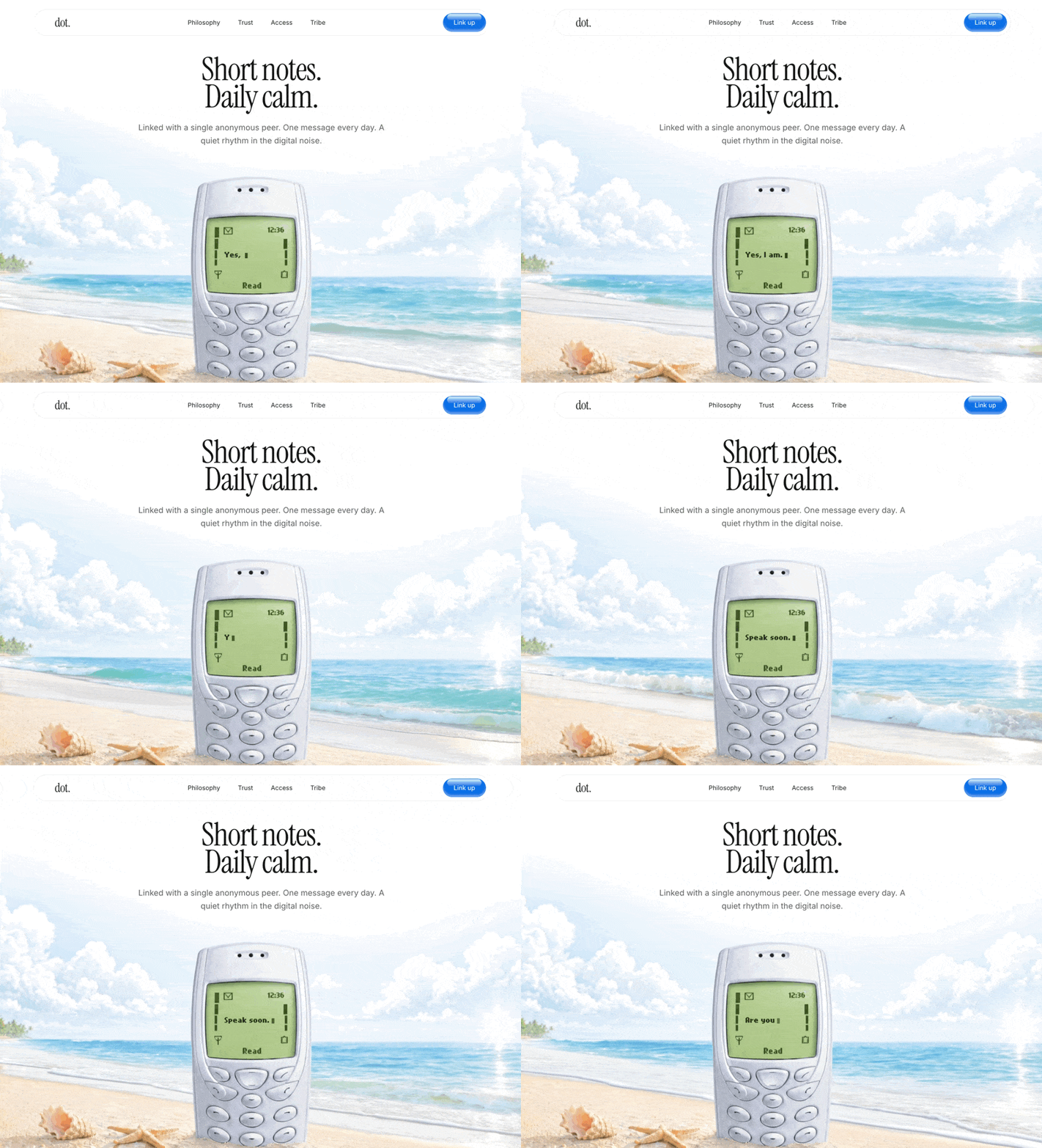
Build a React landing page exactly as specified below. Use React 19, Tailwind CSS v4, and motion/react for animations. 1. Fonts & Global CSS Setup: In index.html, import these Google Fonts: Instrument Serif (weights 400, italic 400) Inter (weights 100 to 900) In src/index.css, import this custom font for the Nokia text: @import url('https://db.onlinewebfonts.com/c/440b53b1a1c65037f944ff19259d8014?family=Nokia+Cellphone+FC+Small'); Configure the Tailwind theme variables in index.css: --font-instrument: "Instrument Serif", serif; --font-serif: "Instrument Serif", serif; --font-sans: "Inter", sans-serif; --font-nokia: "Nokia Cellphone FC Small", monospace; Create a @utility font-instrument { font-family: "Instrument Serif", serif; } Set the root font-family to var(--font-sans) and apply anti-aliasing. 2. Component Structure: Create one main App.tsx file containing 4 components: TypingMessages, Navbar, Hero, and App. 3. Navbar Component: Container: Fixed to the top top-6, centered horizontally left-1/2 -translate-x-1/2, width 95% w-[95%] max-w-5xl. z-50, pointer-events-none. Nav Tag: pointer-events-auto, backdrop blur, rounded full pill shape, transparent background with border border-black/10. Flex between items. Logo: Text "dot." using font-instrument text-[28px] tracking-tight text-[#1a1a1a]. Links: "Philosophy", "Trust", "Access", "Tribe". Hidden on mobile, flex on desktop (gap-10). font-sans text-[14px] text-[#1a1a1a] with hover opacity fading. CTA Button ("Link up"): Backgr

……(完整源码请在站内查看)